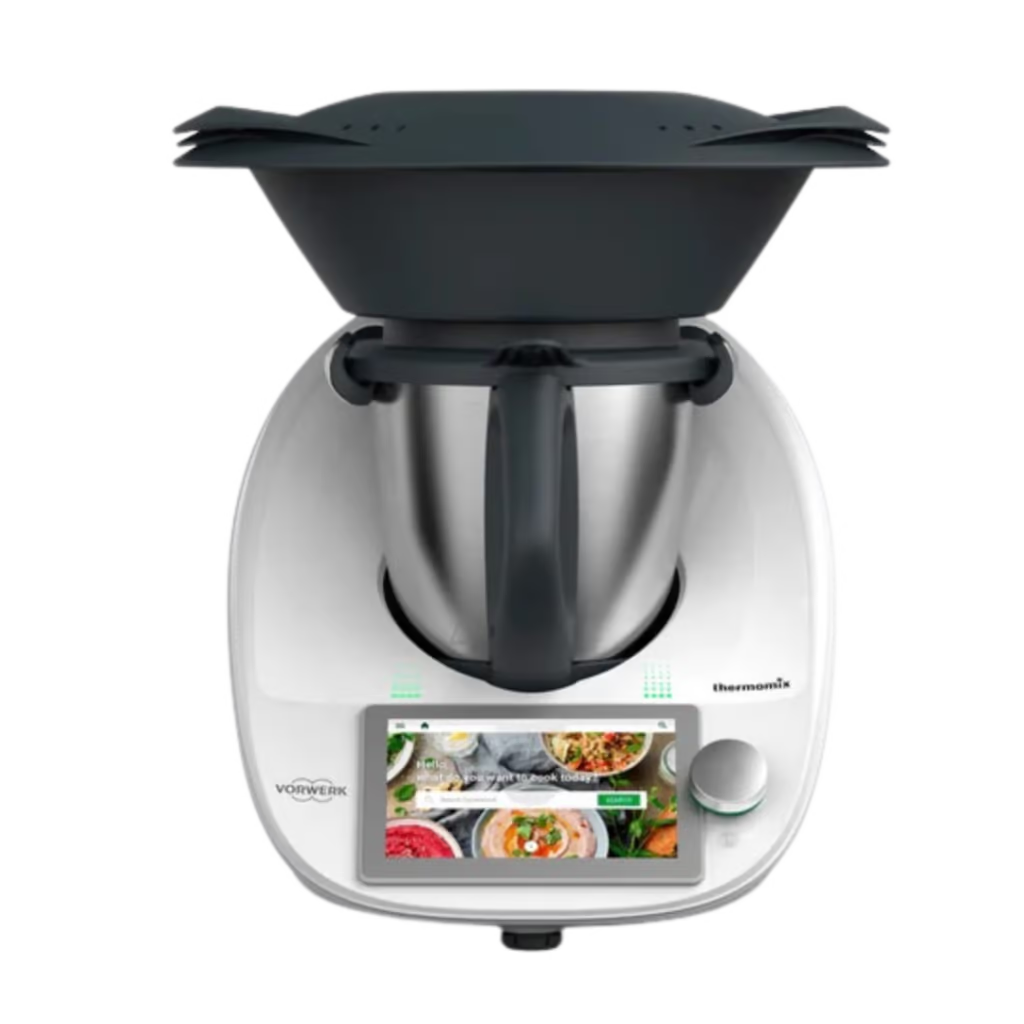


LEARN TO USE AND LOVE YOUR THERMOMIX®
VIDEO TRAINING FOR THERMOMIX® TM6 AND COOKIDOO®
Do you have a Thermomix® TM6 and feel a little overwhelmed
with how to use it and don't know what to make?
Is your Thermomix® TM6 rarely used, or only for a few things?
Would you love to learn how to use it more?
If you have answered YES to any of these questions, then you are definitely not alone.
And I would love to help you.
A Thermomix® is a big investment. It is also a massive help to anyone in the kitchen.
Whether you are an accomplished cook or a beginner, if you want to cook basics or fine dining.
Learning how to use the Thermomix® will mean you can use it for almost everything.
Video training for Thermomix® TM6 and Cookidoo®
The ThermoJo 30 Day Kickstart for TM6 and Cookidoo® is designed to get you using and loving your Thermomix®.
I have been a Thermomix® owner since 2009 and was a consultant in Australia for five years.
I initially created this series of videos for my customers, to help them learn every part of what their new Thermomix® can do.
I also share a lot of ideas for great recipes to try in the early days – from basics, to weekday dinners and entertaining.
The ThermoJo 30 Day Kickstart for TM6 and Cookidoo® is open to everyone who has a Thermomix® TM6.
It doesn't matter where you are in the world, you can sign up for and benefit from Kickstart.
Learn how to use all the functions of the Thermomix® and you will be loving it in no time.
The ThermoJo 30 Day Kickstart is unique.
The program is easy to follow and very thorough, and you won't find it anywhere else.
My customers have loved this program and I hope you do too.

Who is the ThermoJo 30 Day Kickstart for?
This video training program is for you if you are new to the Thermomix® TM6
or feel that you are not using yours as much as you would like
You have recently bought a Thermomix® TM6
You will be confident and using your TM6 for so much very soon. I can't wait to show you all the incredible things you can make.

You are not using your Thermomix® TM6
Then 30 Day Kickstart is for you. I will help you learn and love your Thermomix® again.

What is included in the 30 Day Kickstart?
Each lesson of the ThermoJo 30 Day Kickstart shows you how to maximise your use of your Thermomix® and Cookidoo®.
The ThermoJo 30 Day Kickstart video training program gives you a series of short videos.
I show you every mode, setting and function of your Thermomix® TM6, and also how to get the most from Cookidoo®.
The content has been arranged by topic area to help you understand how everything works together.
You can skip to whichever lesson you like at any time.
The programs are up to date with all modes and functions available on the Thermomix® TM6.
It will continue to be updated if anything changes with the functionality of the TM6.
I know you will be loving your Thermomix®, and cooking up a storm, in no time.
Prepare for Arrival
If you are waiting for your new Thermomix® to arrive, you can start 30 Day Kickstart. I give you a few tips to get you ready to start.
Lessons:
* Welcome from Jo
* Making the most of your Thermomix®

Parts and Accessories
Understand the purpose of everything you receive with your Thermomix®, and optional accessories. I will show you how to use and care for everything.
Lessons:
* What's in the box?
* Optional Accessories for the TM6
* The MixShop
* Cleaning your TM6

Setting up your Thermomix®
You will learn how to find everything you need on your Thermomix® screen, the menu structure, all the settings, and setting up the recipe app Cookidoo®.
Lessons:
* Your Cookidoo® Account
* Delivery Day and Set Up
* Settings
* Menu and Navigation

Cooking with your Thermomix®
I will show you every mode in action and explain when to use it. You will understand exactly what your Thermomix® can do for you. You will also learn all about Guided Cooking using Cookidoo® recipes.
Lessons:
* Overview of Cooking in a Thermomix® TM6
* Manual Cooking (2 topics)
* Guided Cooking (2 topics)
* Basic Cooking Modes (13 topics)
* Long Duration Modes (3 topics)
* Utility Modes and Features (3 topics)

Recipes for your Thermomix®
Cookidoo® is the perfect partner to the Thermomix®. I will show you how to use it to find, save, access and modify recipes on your Thermomix®.
Lessons:* ThermoJo Favourite Recipes (8 topics)
* Search for Recipes (2 topics)
* Organise and Plan (2 topics)
* Customise and Share Recipes (3 topics)
* Recipes from Outside Cookidoo®

Resources and Next Steps
I provide with with links to product manuals, recipe websites, country websites and how to find a consultant/advisor. Note that Kickstart will be updated as things change in the Thermomix® world.
Lessons:* Consultant Support
* Resources & Next Steps

The changes you will see when you know how to use your Thermomix®
Learn how to use your Thermomix® TM6 through the ThermoJo 30 Day Kickstart program.
Become a more confident cook, save time and enjoy cooking for your family and friends.
Cook the food you love with confidence
You will quickly gain the confidence to try any Thermomix® recipe. Find recipes for all your favourites meals and snacks - perhaps things you normally buy or always order at your favourite restaurant.
Now you will have the confidence to try these at home. I always just have a go when I see something I love, and I am never disappointed.

Enjoy fabulous food when entertaining your friends
Impress your friends with incredible food. There are so many Thermomix® recipes for dishes that you have never in your wildest dreams thought you would cook at home.
It really does seem so much easier to make fabulous food when you know you can rely on the Thermomix® functions to deliver the results.

Use your Thermomix® more and save time every day
Once you understand more about how your Thermomix® can help you, you will start to use it for so many more meals and snacks. You will know how to make the best use of your TM6 to save you valuable time each day and week.
You can easily meal plan with Cookidoo®, which helps remove the daily stress of what to cook for dinner or make for lunches. You may just find you enjoy cooking too!
Hear from ThermoJo Customers
How much does the ThermoJo 30 Day Kickstart cost?
Our goal is for you to feel confident using your Thermomix® within 30 days.
Your access to Kickstart does not expire.
ThermoJo 30 Day Kickstart (TM6)
Immediate access to all videos-
Immediate access to all videos
-
Total 3 hours 45 minutes of video
-
Average video length 7.5 minutes
-
Updates for new features and modes
-
Watch in any order
-
Lifetime access
Pricing is in Australian dollars. GST is included for Australian buyers.
Click here to convert the price to your currency.
FREQUENTLY ASKED QUESTIONS
The most common questions and answers are detailed below.
If you have any further questions, feel free to contact me.
